Now in private beta

Handwriting, markdown, and spaced repetition. One app.

Opal is the local-first notebook for discovering, capturing, and connecting the irreducible ideas inside what you know.

macOS · iPad · Local-first · Your data stays yours
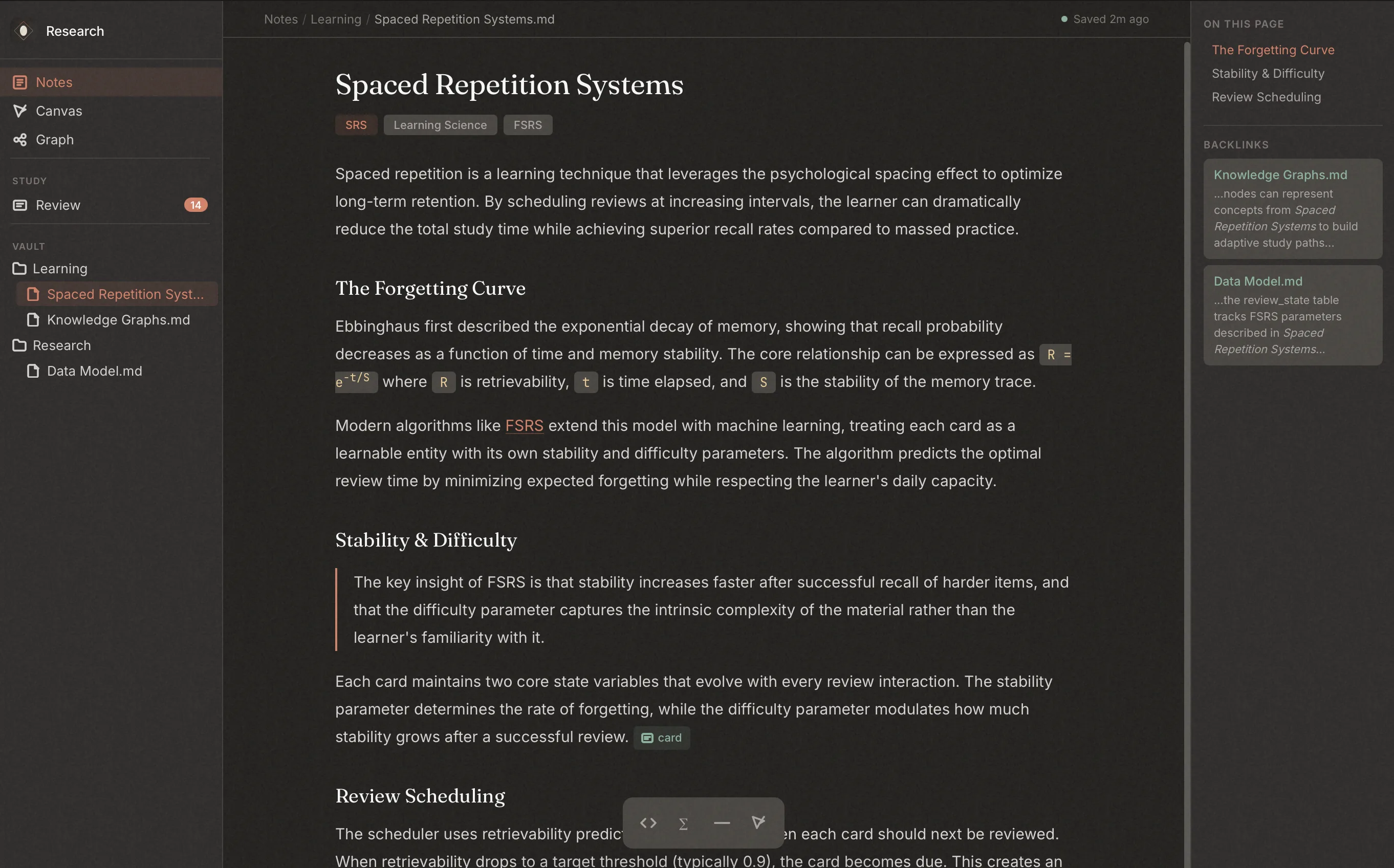
Opal showing a markdown note titled Spaced Repetition Systems with sidebar navigation, tags, and outline panel.

Features

Tools for the irreducible, work of thinking

One principle: the understanding has to be yours.

Markdown, refined

A distraction-free editor with wikilinks, tags, math blocks, and a table of contents that stays out of your way until you need it. Write in markdown. Think in structure.

Apple Pencil, native

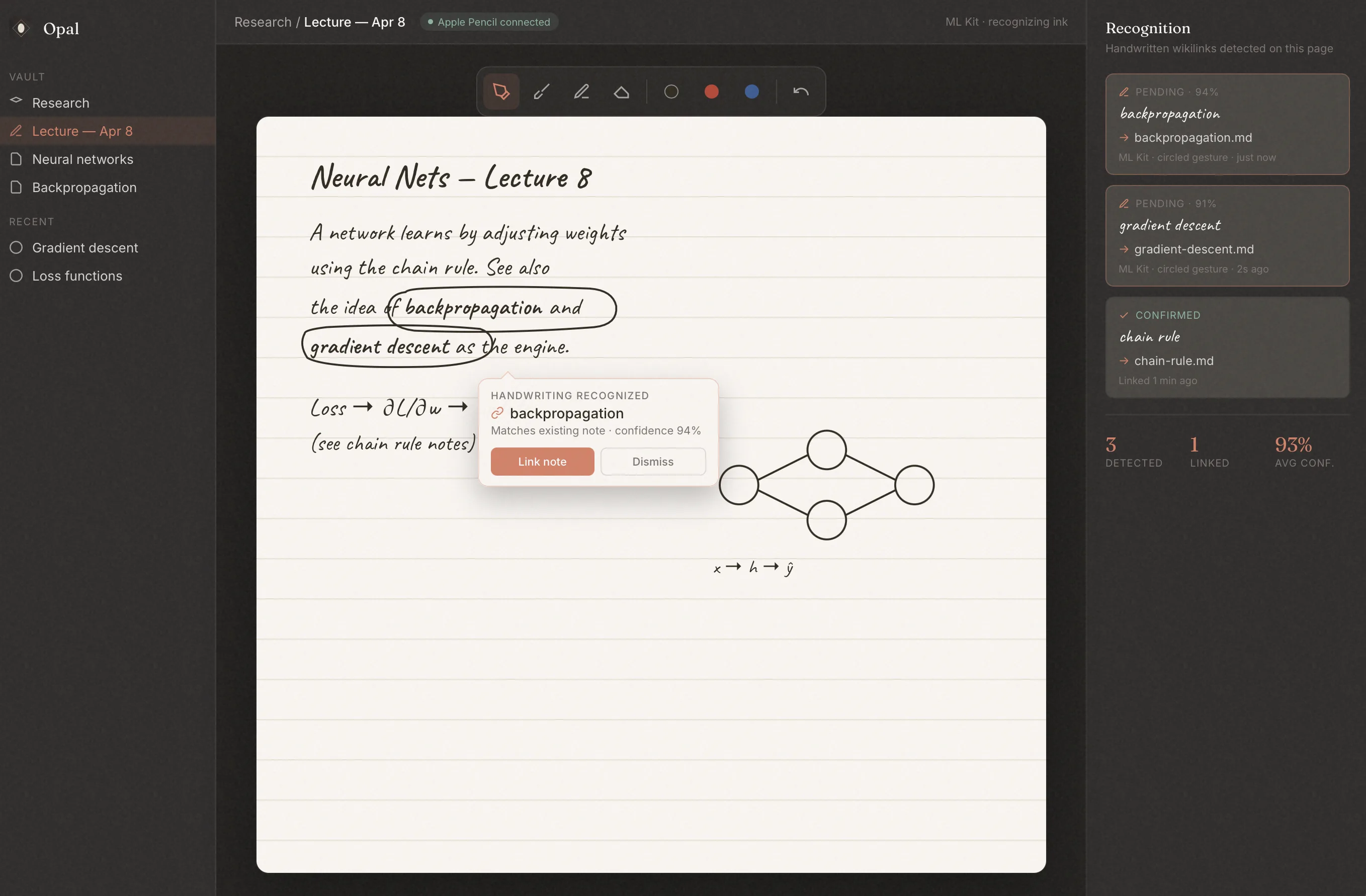
PencilKit handwriting embedded directly inside your notes. Draw diagrams between paragraphs, annotate equations, sketch ideas. Opal even detects handwritten [[wikilinks]], turning your ink into nodes on your knowledge graph.

PDFs, annotated

Import PDFs and annotate them directly with Apple Pencil or typed highlights. Your annotations live alongside your notes — searchable, linkable, reviewable.

Notecards, inline

Highlight any passage and turn it into a flashcard without leaving your note. Front and back, cloze deletions, or image-based — cards stay linked to their source material.

Connections, visible

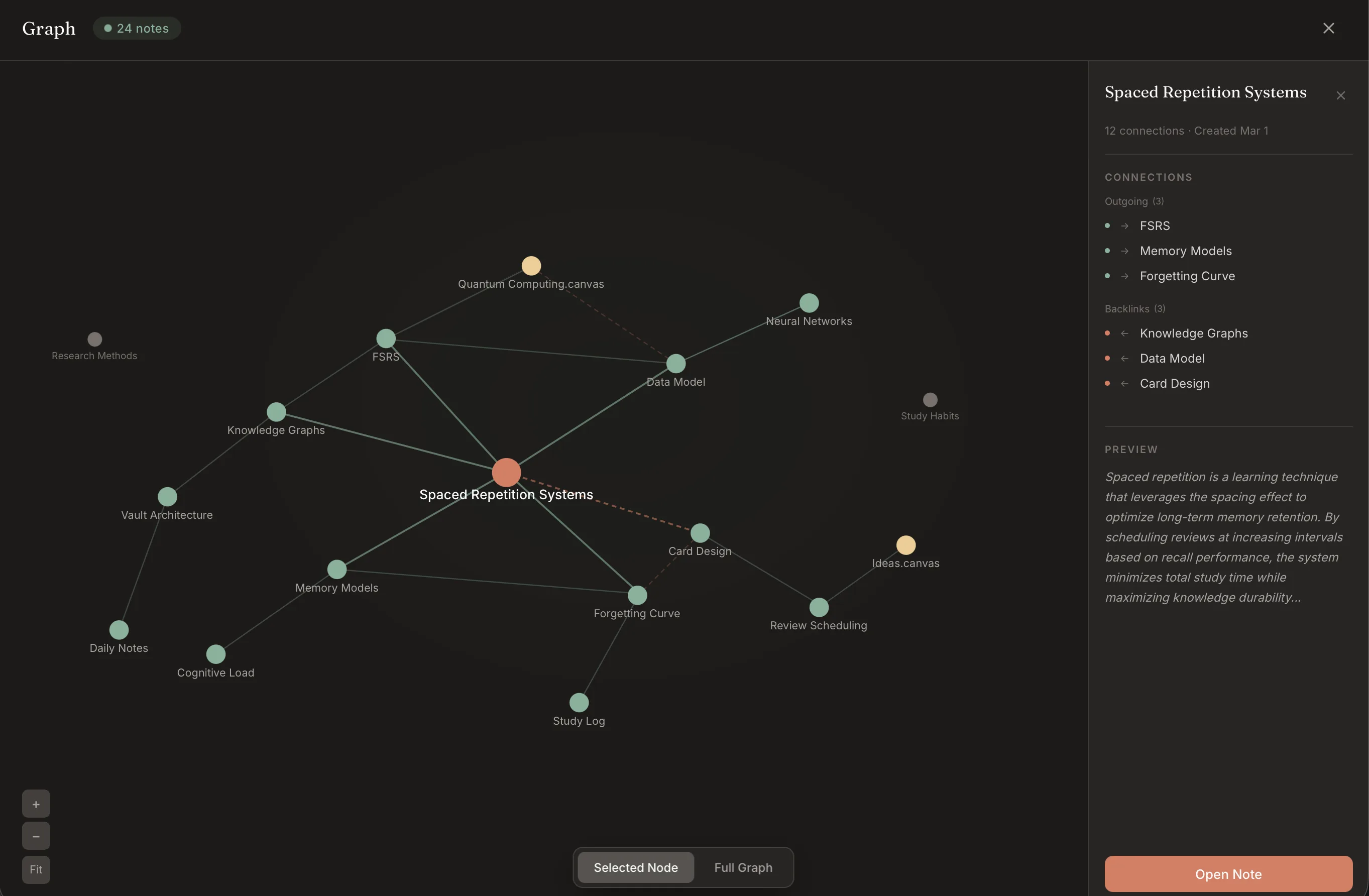
Every [[wikilink]] forges a bond between ideas. Explore connections in a living graph view, or use the backlink sidebar to see every reference to the current note. Your knowledge has structure — Opal makes it visible.

Review, your way

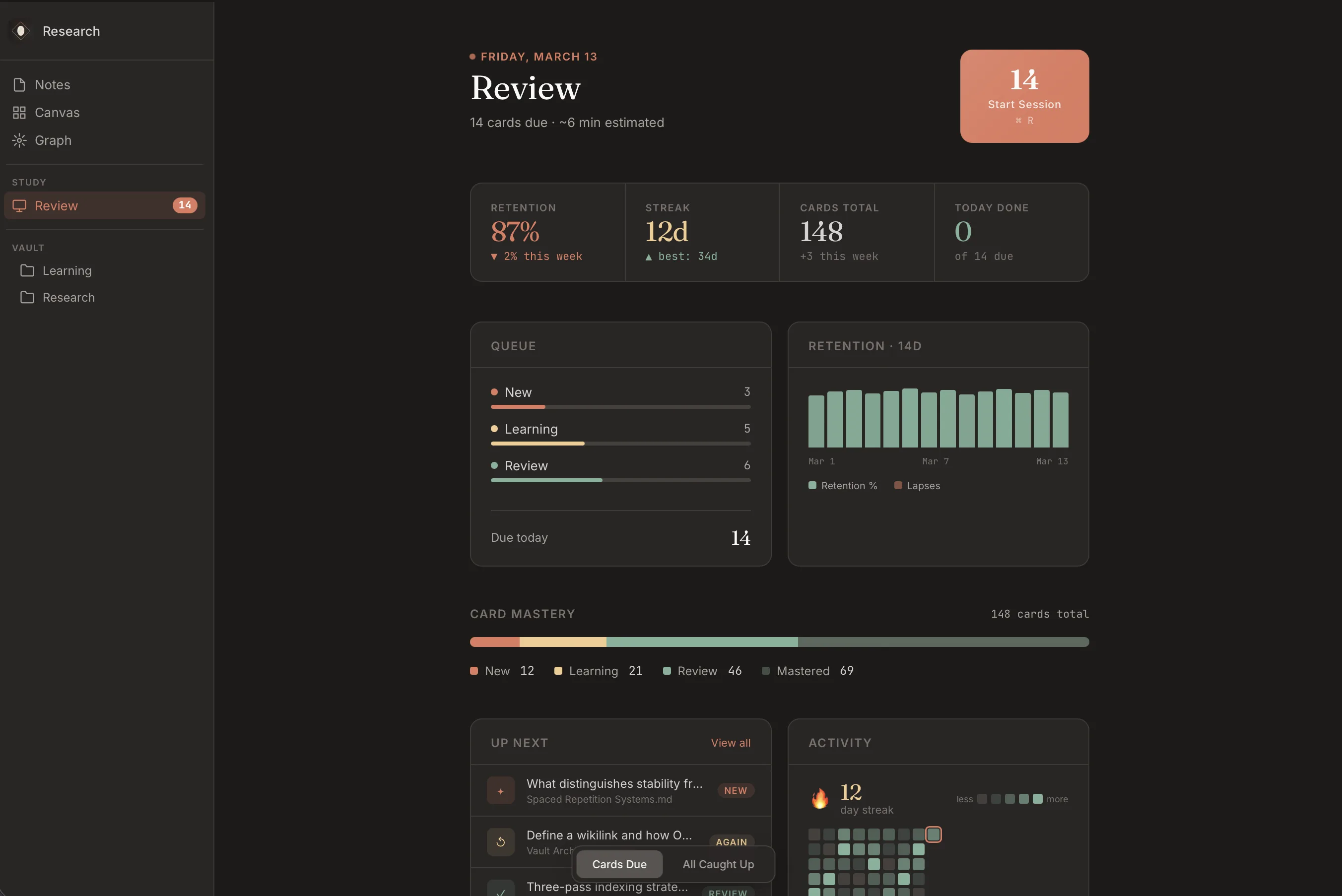
Two modes: FSRS for mathematically optimal spaced repetition, and classical review for focused study sessions. Your daily queue is waiting when you open Opal.

reMarkable, connected

Write on your reMarkable tablet and Opal pulls the pages straight into your vault. To create a handwritten wikilink, simply circle the word on the page. Circled terms become live connections in your knowledge graph.

Your brain, not the cloud's

Opal is local-first. SQLite database, files on your filesystem, no cloud dependency. Fast search with FTS5 indexing. Works offline, always. Free iCloud sync keeps your devices in harmony — no account required, no subscription needed.

Opal Pro

Go further

Opal does the heavy lifting so you can focus on understanding.

Real-time sync

Seamless cross-device sync with end-to-end encryption. Your notes update everywhere, instantly — and nobody but you can read them.

Auto-generated quizzes

Upload a PDF or write a note and Opal generates review questions automatically. Study smarter without the manual work of writing every question yourself.

Auto-generated notecards

Opal reads your content and creates flashcards from key concepts, definitions, and relationships. Review them immediately or edit before they enter your queue.

Semantic mapping

Go beyond explicit wikilinks. Opal surfaces hidden connections between your notes based on meaning, not just references — revealing structure you didn't know was there.

How It Works

From first thought to long-term memory

Three actions. One seamless loop.

01

Capture

Write by hand on the canvas. Opal recognizes your handwriting and links it to existing notes — so an ink stroke becomes a first-class idea.
Opal canvas showing handwritten lecture notes with a backpropagation term recognized and linked to an existing note.
02

Connect

Every note becomes a node. Wikilinks and backlinks build a knowledge graph automatically, so you see how concepts relate at a glance.
Opal knowledge graph view with Spaced Repetition Systems at the center connected to related notes like FSRS, Memory Models, and Forgetting Curve.
03

Remember

Spaced repetition, built in. FSRS schedules every card on its own forgetting curve — open Opal each day and what you need to review is waiting.
Opal review dashboard with retention percentage, streak, card mastery breakdown, and upcoming review queue.

Compare

Why not just use two apps?

Because context switching kills retention. Opal brings everything into one place.

Opal Obsidian + Anki GoodNotes Notion
Markdown editor ~
Apple Pencil handwriting
Spaced repetition ~
Knowledge graph
Ink inside markdown
Cards from notes ~
Local-first / offline
PDF annotation
Handwritten wikilinks
Auto-generated cards
Single app
"I used to flip between GoodNotes for diagrams, Obsidian for notes, and Anki for review. Opal is the first app that actually replaces all three."
Beta Tester
MS2, Medical School
3
Apps replaced
0
Cloud dependency
1s
Auto-save interval
Notes. No limits.

Closed Beta

Start thinking
in Opal

We're recruiting for our closed beta. Free while we're building. Your feedback shapes the product.

Spots are limited. We'll review your request and follow up by email.